
Reliable point-of-sale hardware is essential for businesses that process transactions throughout the day. A POS terminal or peripheral that fails during a busy period can disrupt sales, slow employees down, and create an inconvenient customer experience. For this reason, businesses should consider hardware quality carefully when selecting a manufacturer.
When evaluating a POS System Manufacturer, it is useful to look beyond product appearance and advertised features. Build quality, testing practices, component reliability, compatibility, warranty coverage, and long-term support can all provide insight into whether the hardware is appropriate for demanding business environments.
Examine Hardware Construction
The physical construction of POS equipment can provide an initial indication of its durability. Devices intended for commercial use should be designed to handle regular operation and frequent interaction.
Look at the materials used, enclosure design, display construction, mounting options, and overall build. Hardware should be appropriate for the environment in which it will be installed and used.
Review Product Specifications
Technical specifications help businesses determine whether hardware is capable of meeting operational requirements. Depending on the device, relevant specifications may include processor performance, memory, storage, display resolution, connectivity, and power requirements.
Specifications should be considered in relation to actual business needs. A higher specification is not automatically better if the additional capability does not provide practical value.
Consider Testing Procedures
Quality control depends partly on how products are tested before reaching customers. Manufacturers may perform different forms of testing to assess hardware performance, reliability, connectivity, and durability.
When possible, ask about quality-control procedures and product testing. Clear information about testing can provide greater confidence that equipment has been evaluated for commercial use.
Check Component Reliability
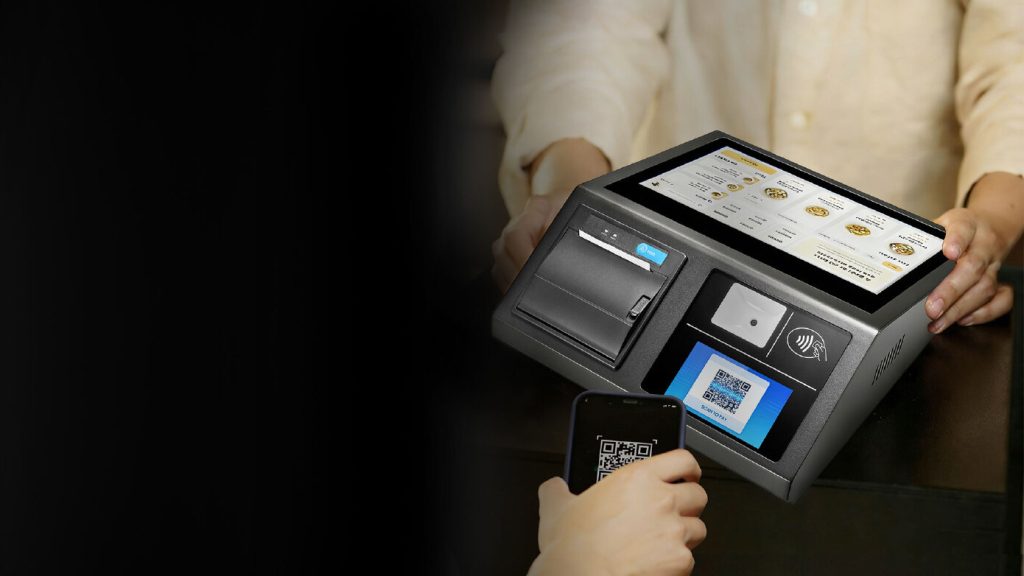
A POS system often contains multiple components, and the reliability of each can affect the overall system. Terminals, scanners, printers, displays, payment devices, and other peripherals need to perform consistently.
When comparing products, consider the reputation of the hardware components and whether replacement parts or compatible alternatives are available.
Evaluate Display and Touchscreen Quality
For touchscreen POS terminals, the display is a critical part of employee interaction. Poor responsiveness or visibility can make routine transactions more difficult.
Consider screen size, touch sensitivity, viewing angles, brightness, and durability. The display should be appropriate for the lighting and operating conditions of the business.
Assess Connectivity
Reliable connectivity is another important quality consideration. POS devices may use Ethernet, Wi-Fi, Bluetooth, USB, or other interfaces to communicate with software and peripherals.
A quality POS setup should provide stable connections appropriate to the business environment. Confirm that the hardware supports the connection standards required by your existing system.
Verify Software Compatibility
Hardware quality cannot compensate for poor software integration. A well-built terminal may still be unsuitable if it does not work properly with the POS platform used by the business.
Check supported operating systems, drivers, applications, and peripheral integrations. Compatibility should be confirmed before purchasing or deploying equipment.
Review Warranty Coverage
Warranty terms can provide useful information about the manufacturer’s approach to product support. A clearly defined warranty explains what happens if a device develops a covered fault.
Pay attention to:
- Length of warranty coverage
- Covered components
- Exclusions
- Repair procedures
- Replacement policies
- Service requirements
A warranty should be viewed as one part of the overall quality and support assessment.
Investigate Maintenance and Repair Options
Even durable hardware eventually requires maintenance or replacement. Businesses should understand how repairs are handled and whether replacement components are accessible.
Ask whether technical support is available, how faulty equipment is diagnosed, and how quickly replacement units can be supplied. These factors can be particularly important for businesses that rely heavily on POS technology.
Consider Long-Term Product Support
Quality is not limited to how a product performs when it is new. Continued support can affect the useful life of POS equipment.
Look for manufacturers that provide appropriate software support, replacement options, documentation, and upgrade paths. Long-term availability can make it easier to maintain consistent hardware as the business grows.
Assess Industry Suitability
Different environments place different demands on POS equipment. Retail stores may require hardware capable of handling frequent scanning and checkout activity, while restaurants may need equipment that supports mobile ordering and demanding service conditions.
Choose hardware designed for the type of workload and environment in which it will operate. Industry suitability can be just as important as technical specifications.
Research Independent Feedback
Customer reviews and independent industry feedback can offer useful insight into real-world hardware performance. Look for recurring comments about reliability, failures, support quality, and durability rather than relying on isolated opinions.
Where possible, compare feedback from businesses with similar operating requirements to your own.
Compare Total Value
Quality hardware may have a higher initial cost than basic alternatives, but the purchase price does not tell the entire story. Businesses should also consider maintenance, downtime, replacement costs, support, and expected operating life.
A durable system that performs reliably over several years may provide better value than cheaper equipment that needs frequent replacement.
Create a Quality Evaluation Checklist
A structured checklist can make it easier to compare manufacturers objectively. Consider the following areas:
- Build quality and materials
- Technical specifications
- Product testing and quality control
- Component reliability
- Display and touchscreen performance
- Connectivity
- Software compatibility
- Warranty coverage
- Repair and maintenance support
- Long-term product availability
Evaluating manufacturers against the same criteria can make differences between competing options easier to identify.
Final Thoughts
Evaluating quality standards at a POS system manufacturer requires a broader perspective than simply examining hardware specifications. Businesses should consider construction, testing, component reliability, compatibility, connectivity, warranty coverage, and long-term support.
Taking time to assess these factors can help businesses choose equipment that is better suited to daily commercial use. A quality-focused approach can also reduce unexpected downtime, simplify maintenance, and provide greater confidence in the long-term performance of a POS system.