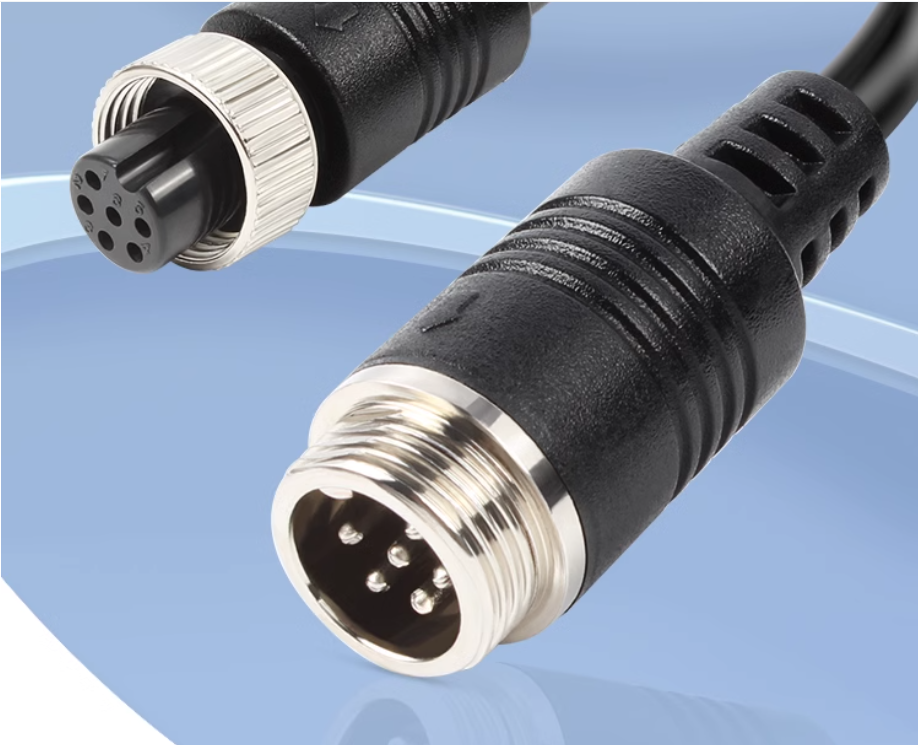

A CCTV system is only as reliable as its weakest connection. While cameras and recording devices often get the most attention, the cabling system plays a crucial role in ensuring stable video performance. In analog and HD-over-coax setups, BNC cables are responsible for delivering continuous video signals between devices.
Over time, environmental conditions, installation quality, and general wear can affect cable performance. Regular maintenance and timely troubleshooting help prevent signal loss, distortion, and system downtime.
High-quality cctv bnc cables are widely used in surveillance systems because they offer stable connections and long-term durability when properly maintained.
Table of Contents
ToggleWhy Maintenance Matters in CCTV Cable Systems
CCTV systems often operate 24/7, making them highly dependent on uninterrupted signal flow. Even small cable issues can lead to major security gaps if left unchecked.
Regular maintenance helps to:
- Maintain clear video quality
- Prevent unexpected signal loss
- Extend cable lifespan
- Reduce repair costs
- Improve overall system reliability
A proactive approach ensures that minor issues do not escalate into complete system failures.
Common Cable-Related Issues in CCTV Systems
Understanding common problems is the first step toward effective troubleshooting. BNC cable systems may experience several performance-related issues over time.
Loose or Unstable Connections
BNC connectors can become loose due to vibration, improper installation, or frequent handling. This often results in intermittent video loss or flickering images.
Signal Degradation
Long cable runs or low-quality materials may cause gradual signal weakening, leading to blurry or distorted video.
Physical Cable Damage
Cuts, bends, or pressure on cables can damage internal conductors and shielding, affecting transmission quality.
Corrosion and Oxidation
Outdoor installations are especially vulnerable to moisture, which can corrode connectors and reduce conductivity.
Electromagnetic Interference
Nearby electrical devices can introduce noise into poorly shielded or damaged cables.
Step-by-Step Maintenance Practices
Routine maintenance helps ensure long-term system stability. A structured inspection process can identify issues early.
Inspect Cable Connections
Check all BNC connectors regularly to ensure they are tightly secured. Loose connections should be reattached or replaced immediately.
Examine Cable Condition
Look for visible signs of wear such as cracks, cuts, or exposed wiring. Damaged sections should be replaced without delay.
Clean Connectors Carefully
Dust, rust, or oxidation on connectors can affect signal quality. Use appropriate cleaning tools to maintain proper conductivity.
Test Video Output Regularly
Monitor camera feeds for any signs of distortion, flickering, or signal delay. Early detection allows faster resolution.
Check Cable Routing
Ensure cables are not running near high-voltage lines or sharp objects that could cause interference or physical damage.
Troubleshooting Common CCTV BNC Cable Problems
When issues occur, systematic troubleshooting helps identify the root cause efficiently.
No Video Signal
If a camera shows no image:
- Check if the cable is properly connected
- Inspect for damaged connectors
- Test the camera on a different cable
- Verify power supply to the camera
Poor or Blurry Image
Blurry video may indicate:
- Signal loss due to long cable distance
- Low-quality or damaged cables
- Loose connector fittings
Replacing or tightening connections often resolves the issue.
Flickering or Rolling Lines
This is commonly caused by:
- Electrical interference
- Ground loop issues
- Poor shielding in cables
Using proper grounding techniques and improved shielding can reduce this problem.
Intermittent Signal Loss
If video cuts in and out:
- Check for loose connectors
- Inspect cables for internal damage
- Look for environmental exposure issues
Replacing faulty sections usually restores stability.
Preventive Measures for Long-Term Reliability
Preventing problems is more efficient than repairing them. Proper installation and protection significantly extend cable life.
Use High-Quality Cables
Durable materials and strong shielding reduce the risk of interference and physical damage.
Avoid Excessive Cable Length
Long cable runs increase the chance of signal degradation. Use signal boosters if necessary.
Protect Outdoor Installations
Use weatherproof conduits and sealed connectors to protect against moisture and temperature changes.
Maintain Proper Cable Organization
Neatly arranged cables reduce strain and make inspections easier.
When to Replace CCTV BNC Cables
Even with proper maintenance, cables eventually wear out. Replacement is necessary when:
- Frequent signal loss occurs
- Connectors are heavily corroded
- Internal damage is suspected
- Image quality remains unstable after troubleshooting
Timely replacement ensures uninterrupted surveillance performance.
Conclusion
Regular maintenance and effective troubleshooting are essential for keeping CCTV systems reliable and efficient. BNC cable issues such as loose connections, signal degradation, and interference can often be prevented with proper care and inspection routines.
By following structured maintenance practices and addressing problems early, users can extend system lifespan and maintain consistent video quality. Reliable cable infrastructure remains a key foundation for any successful surveillance setup.